Ivy Wallet Alternative
A private manual expense tracker for people who like Ivy Wallet's spreadsheet-like simplicity but want an actively maintained app with CSV portability.


Free to download. 1M Plus is optional. Some screens show 1M Plus features.
1M Finance is not affiliated with Ivy Wallet or Ivy Apps. This page is a factual comparison for users researching alternatives.
Looking for a maintained manual tracker?
Ivy Wallet's GitHub repository says the project is no longer maintained. If you want to keep manual tracking without connecting bank accounts, 1M Finance is built around local records, budgets, cash-flow views, net worth, and CSV portability.
There is no automatic Ivy Wallet importer yet. If you have an Ivy CSV export, keep it safe and contact us if you want to help test a future migration path.
Best fit if you want
- Manual tracking without bank sync
- CSV import and export
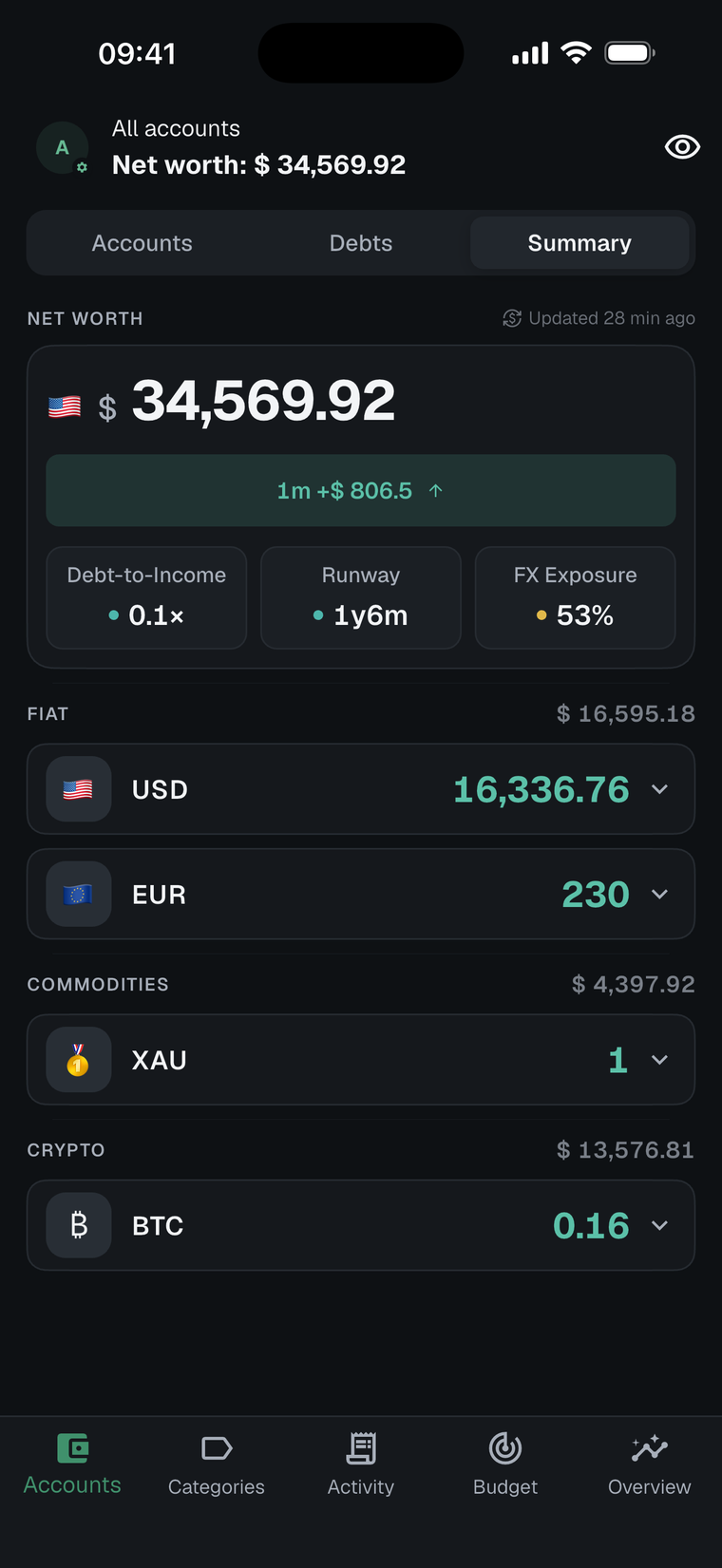
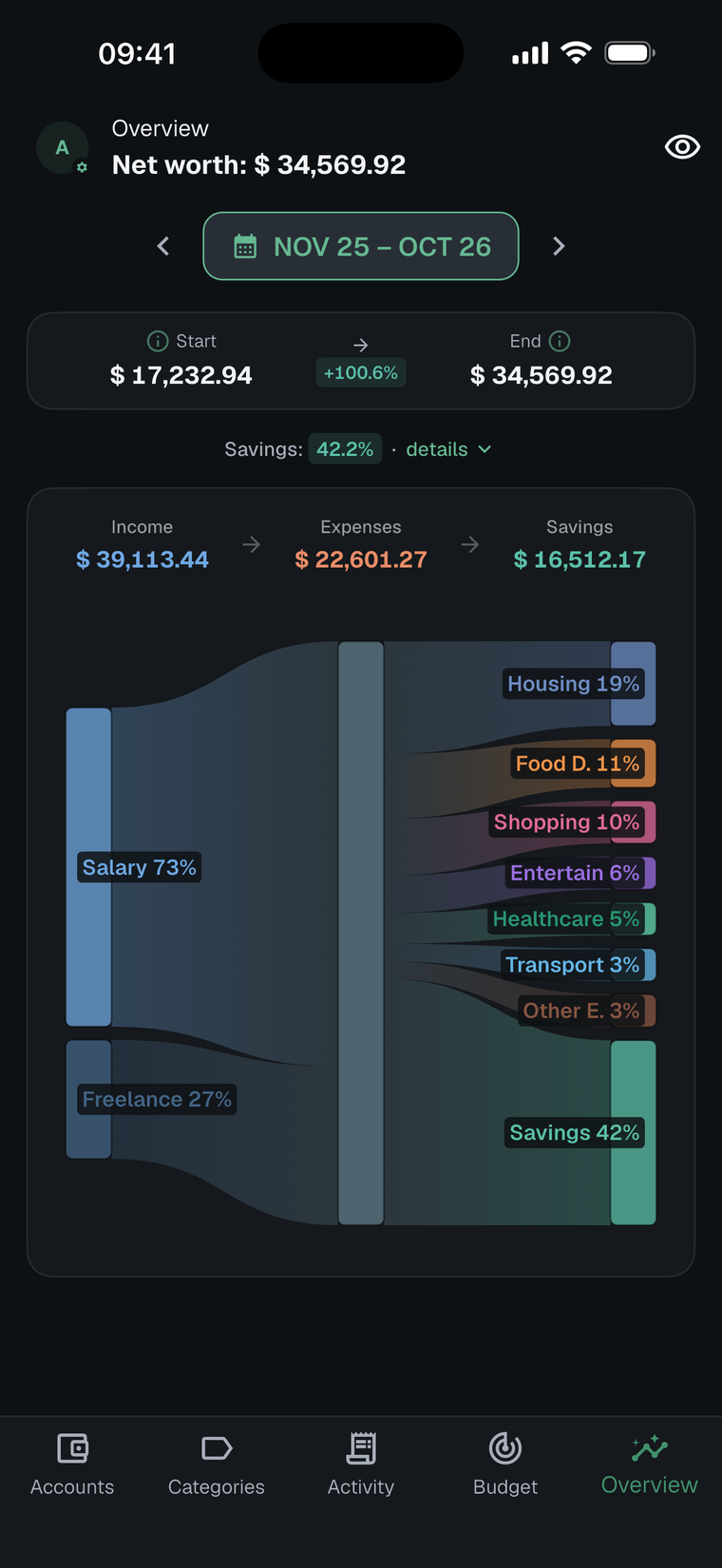
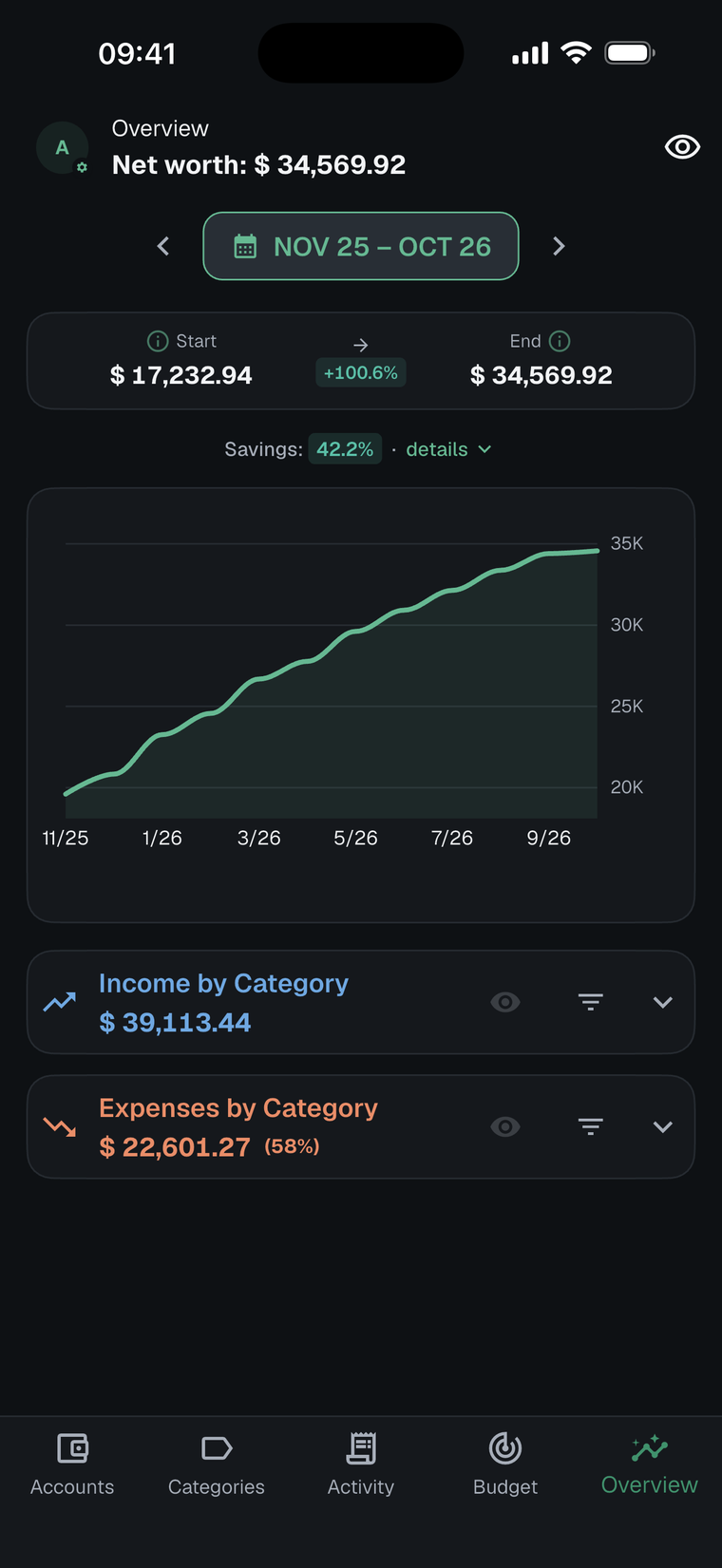
- Net worth and cash-flow views
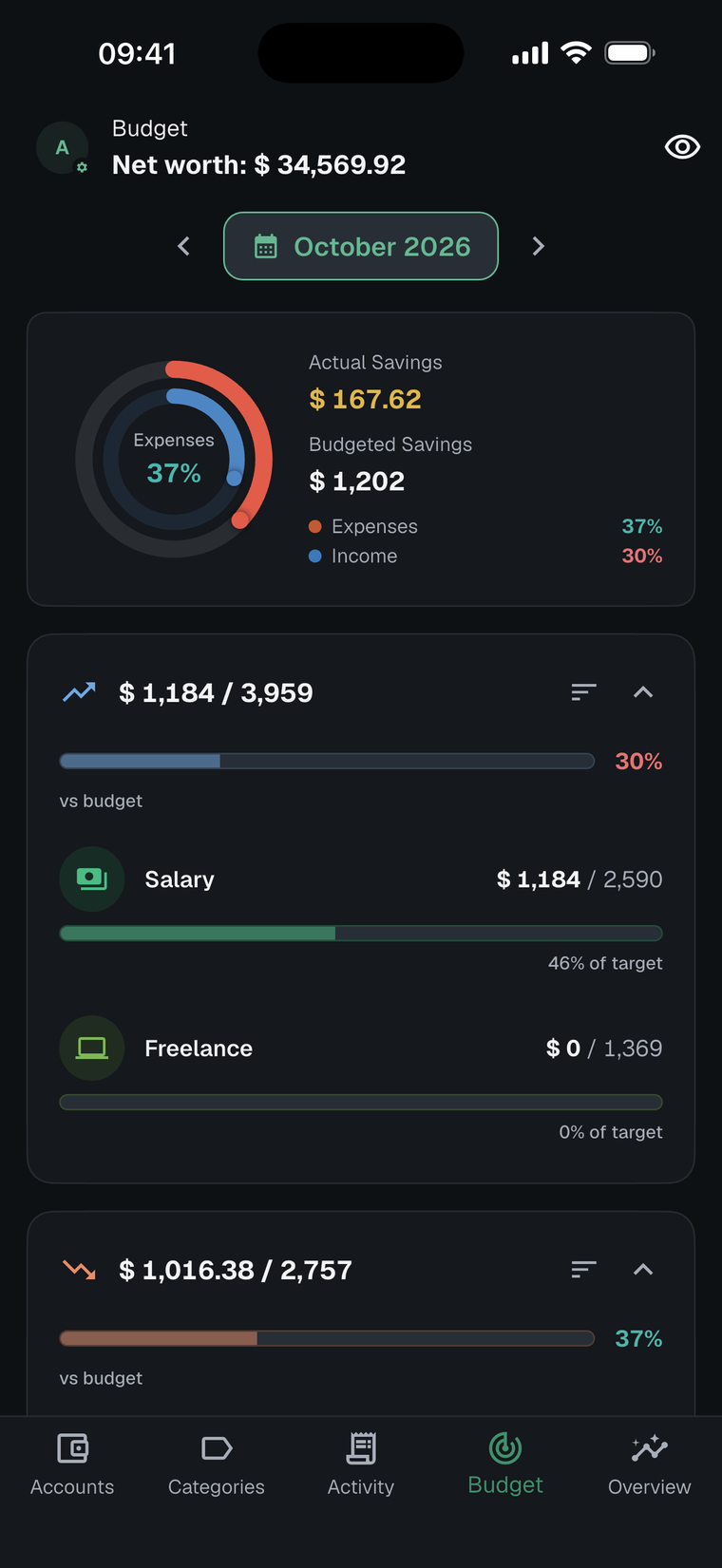
- Category budgets and recurring entries
- Private records kept on your device
What you can do today
Keep your Ivy export
Ivy's public wiki references CSV export and import in its settings and reports areas. Save any export before deleting the old app or changing devices.
Use 1M's CSV format
1M Finance can import its documented CSV format. If you can prepare data in that structure, start with the CSV format guide.
Request importer research
Email finance.contact@one-m.app. Describe the export steps first; send sanitized samples only if requested.
Start fresh: Many manual-tracker users can recreate accounts and categories quickly, then keep future data portable with 1M Finance CSV export.
How 1M Finance compares
| Need | 1M Finance fit |
|---|---|
| Private manual tracking | No bank connection is required. Records are stored on your device. |
| Data portability | 1M Finance supports documented CSV import and CSV export. |
| Budgets and cash flow | Budgets, Sankey cash flow, net worth, multi-currency views, and recurring entries are built in. |
| Migration from Ivy | No first-class Ivy importer yet. We can review sanitized export samples to decide whether to build one. |
Sources to check before moving
This page does not claim direct Ivy Wallet import support. It exists to help users evaluate a private manual tracker and collect migration feedback.
Last updated: October 18, 2026
Manual tracking, still maintained.
Install 1M Finance, keep your Ivy export, and choose whether to start fresh or prepare data for the supported CSV format.
Free to download on iPhone and Android. 1M Plus is optional.