Wallet by BudgetBakers Alternative
A private manual finance tracker for people who want CSV portability, no-bank-sync tracking, budgets, cash flow, and net worth without a bank connection requirement.


Free to download. 1M Plus is optional. Some screens show 1M Plus features.
1M Finance is not affiliated with Wallet by BudgetBakers or BudgetBakers. This page is a factual comparison for users researching alternatives.
Prefer manual control over connected accounts?
Wallet by BudgetBakers has broad import/export tools, including documented CSV and spreadsheet workflows. 1M Finance is different: it is built for manual tracking first, with no bank-sync requirement and documented CSV import and export.
There is no direct Wallet importer in 1M Finance yet. This page helps you decide whether to start fresh, prepare data in the supported 1M CSV format, or share a sanitized sample for future importer research.
Best fit if you want
- Manual tracking without bank sync
- CSV import and export
- Net worth and cash-flow views
- Category budgets and recurring entries
- Financial records stored on your device, with optional personal-cloud backup
Evidence checked for this comparison
This English evidence section was reviewed on July 23, 2026. It separates what the 1M Finance repository source reviewed on that date supports from what Wallet documents publicly, so you can evaluate the workflow instead of relying on feature-list claims.
How the 1M side was checked
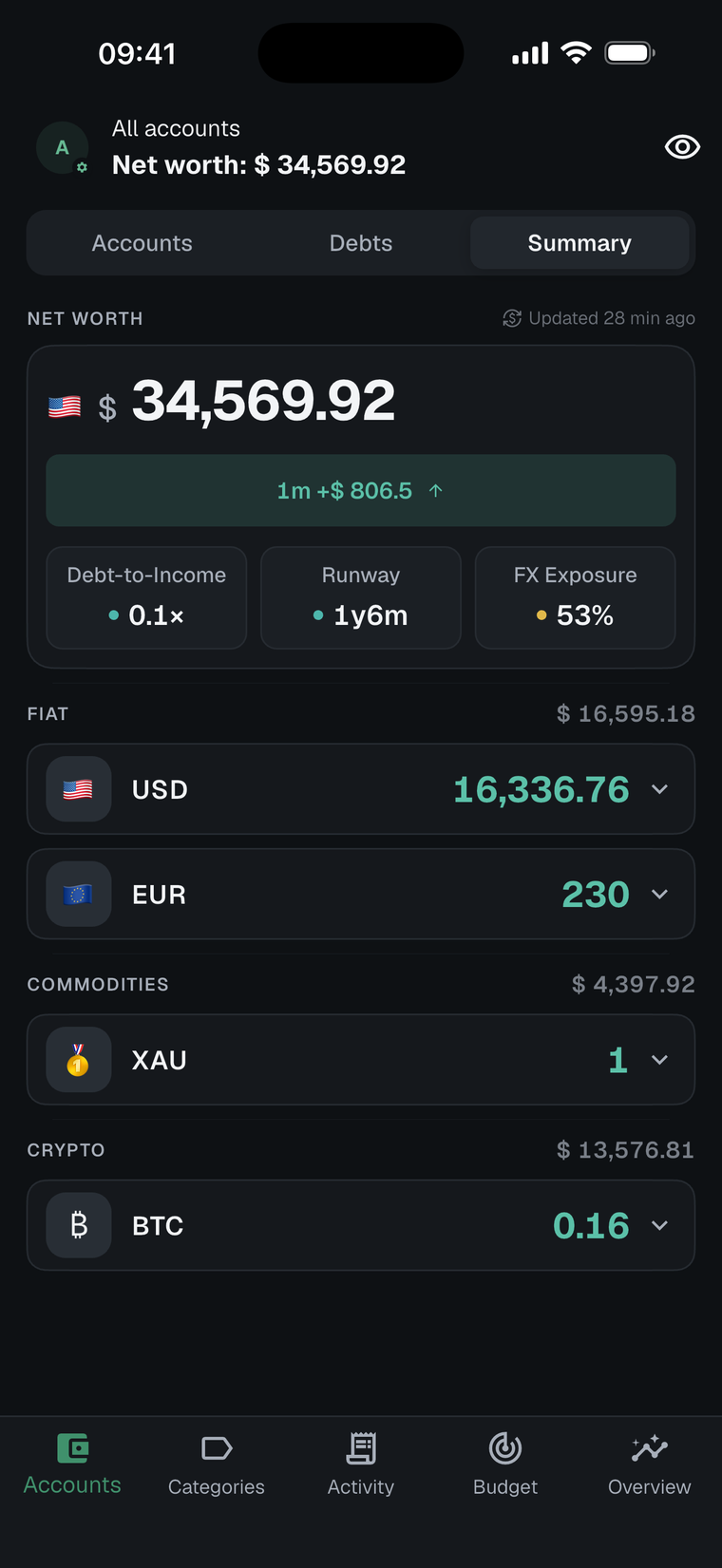
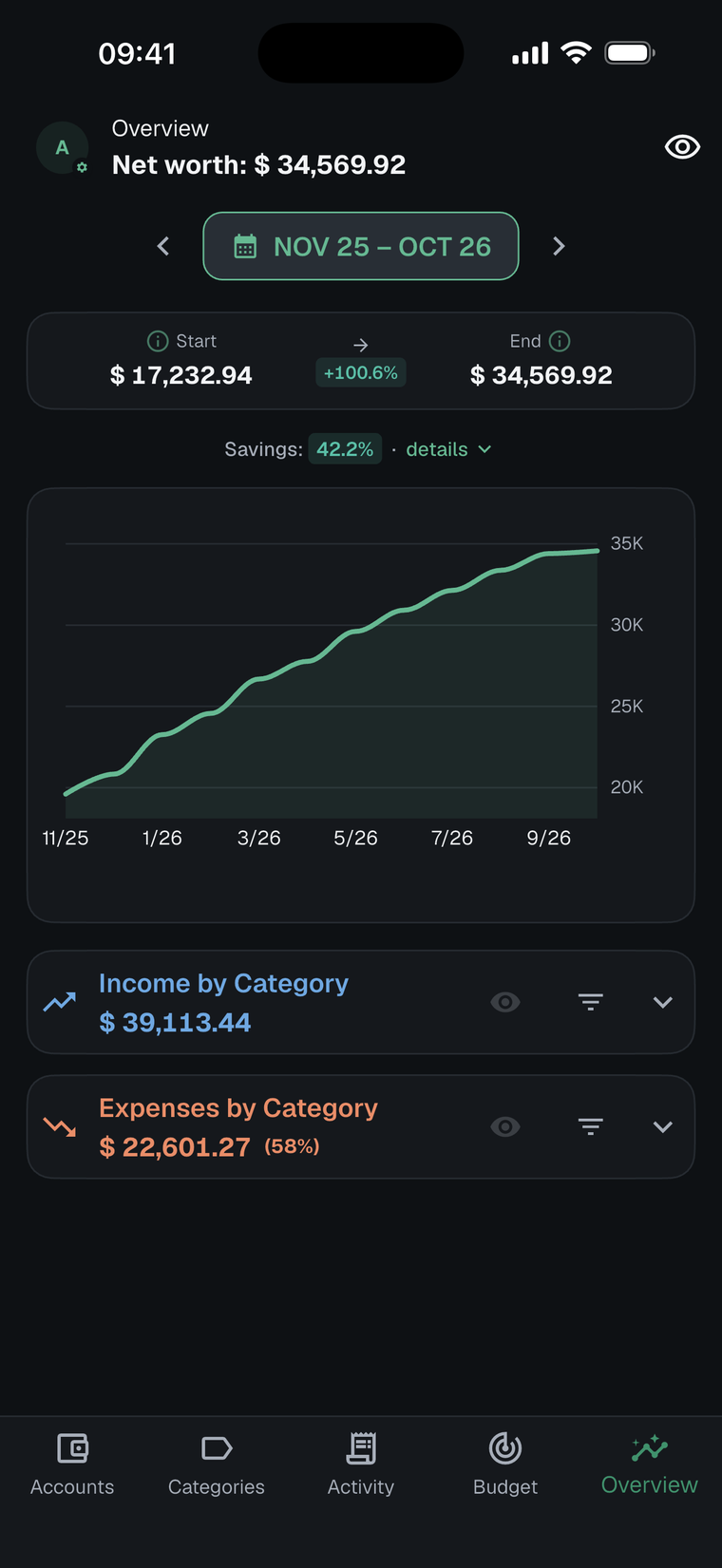
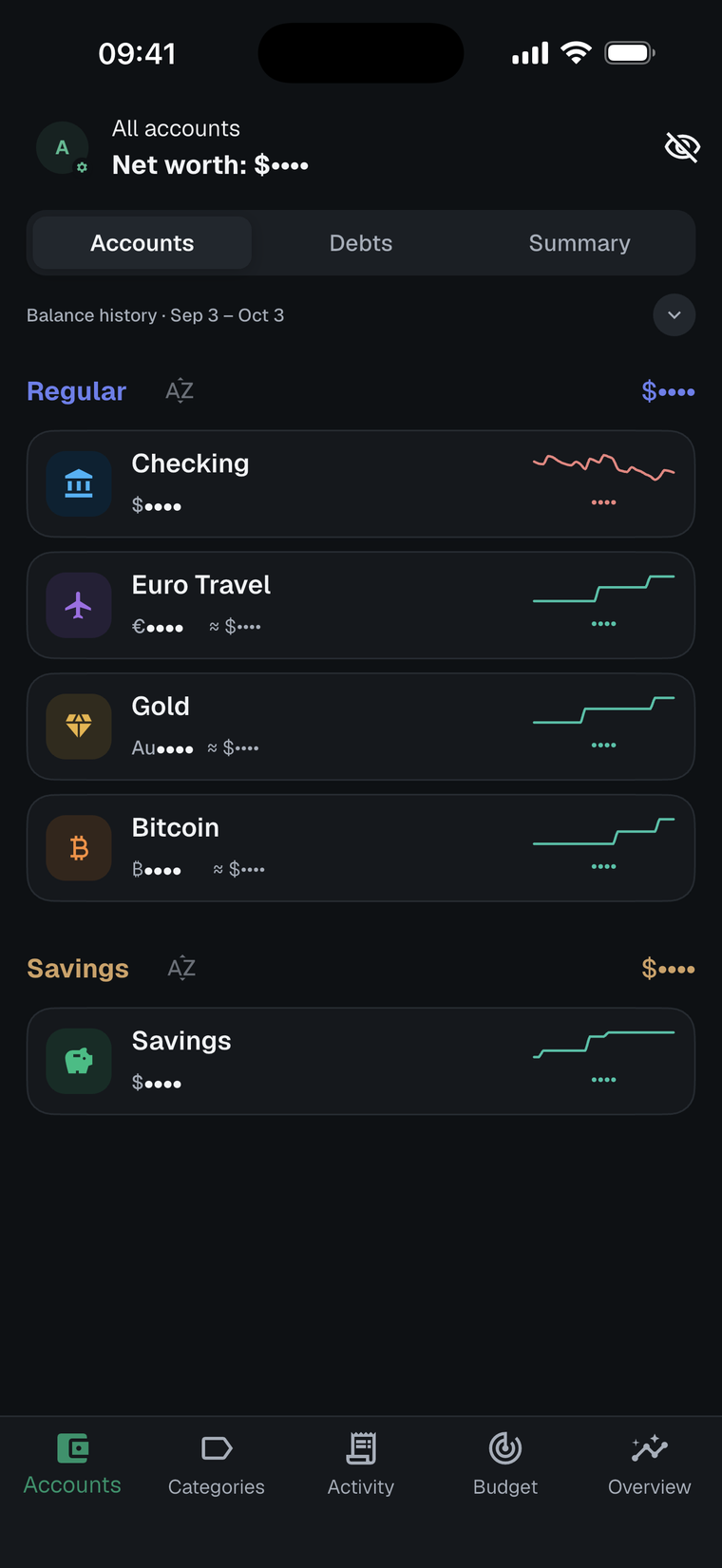
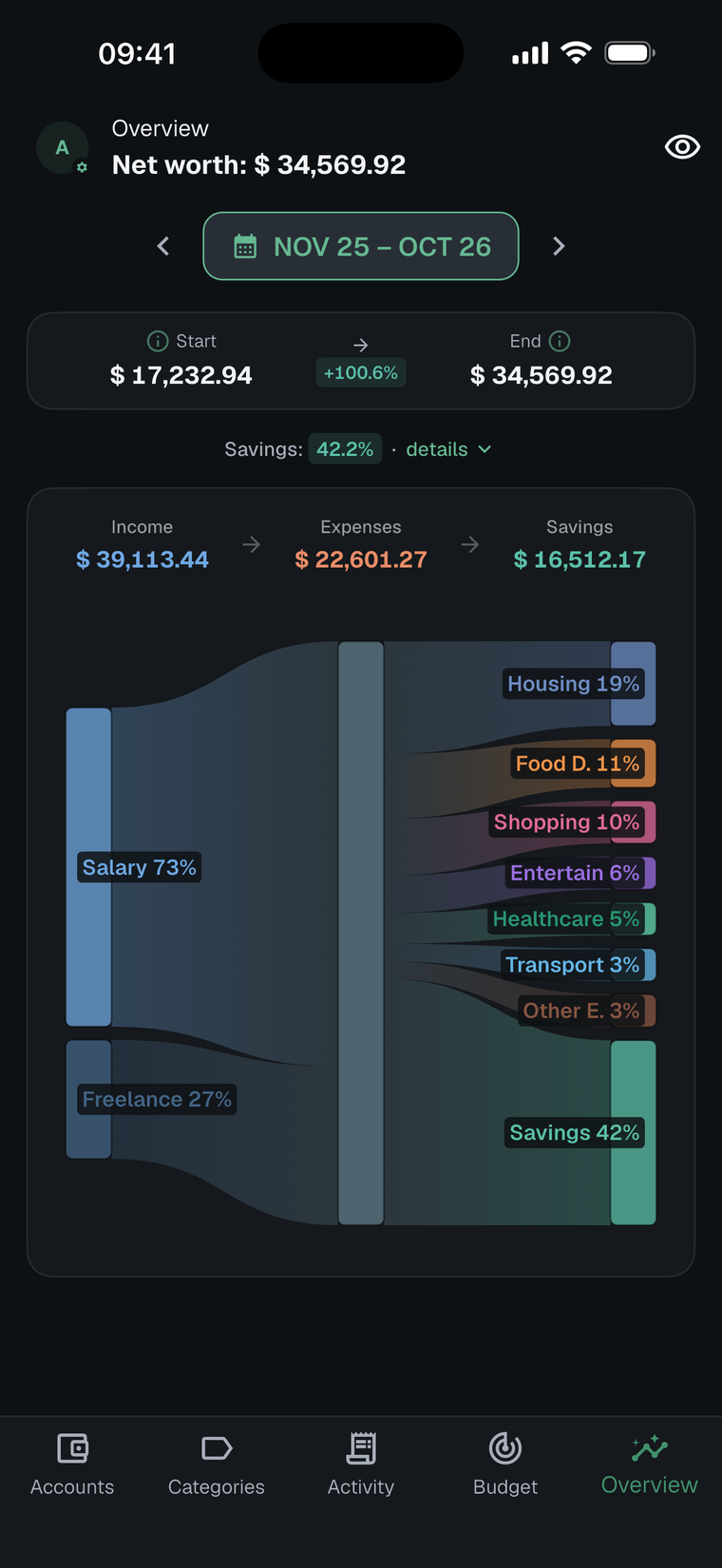
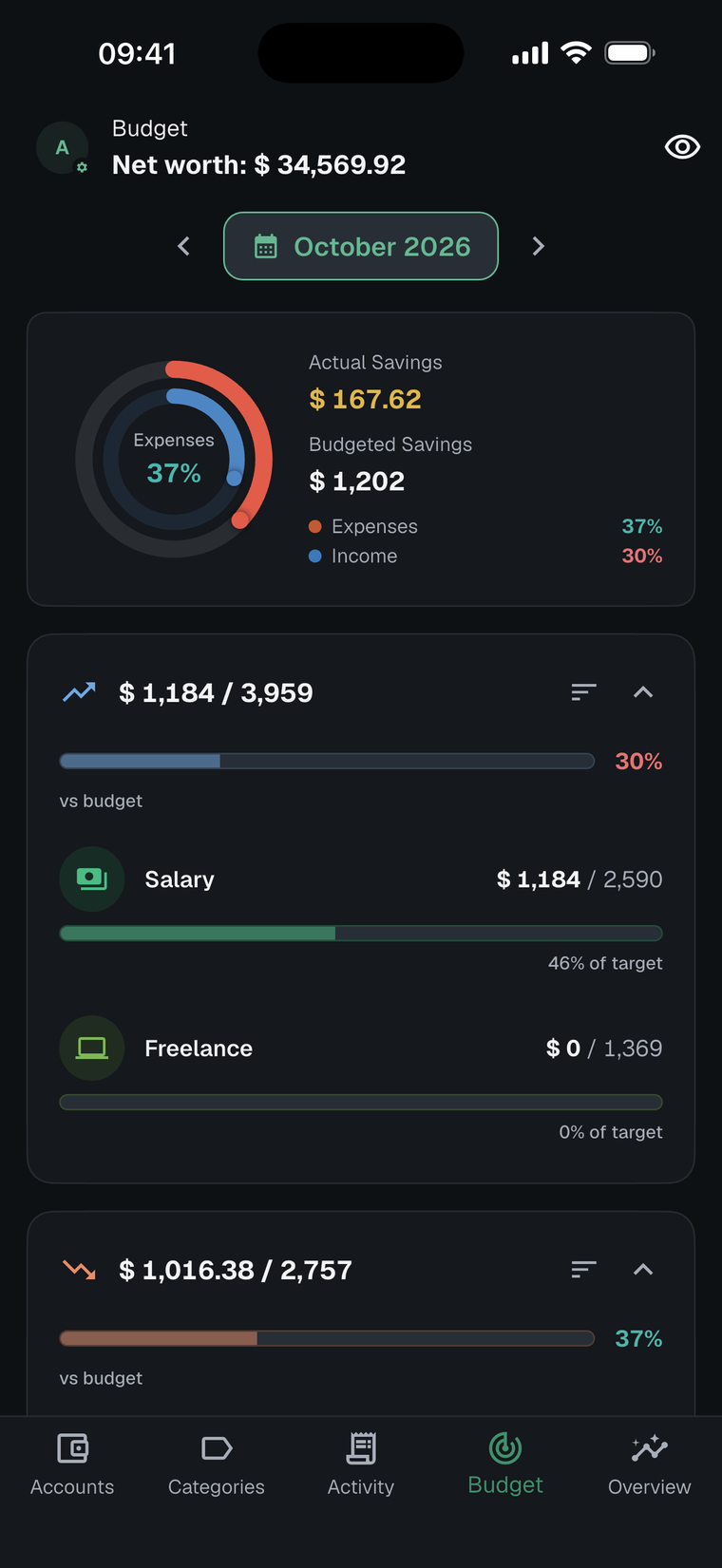
We checked the 1M Finance repository source on July 23, 2026, its complete automated test suite, and the published CSV specification and privacy disclosure. The captures below are illustrative current screens taken after this review, in October 2026; this was not a new device-acceptance test or an independent laboratory test.
How the Wallet side was checked
We used BudgetBakers' official product, Help Center, terms, and privacy documents accessed on July 23, 2026. We did not connect a bank or test a private Wallet account, so bank-specific availability and behavior remain outside this comparison.
Owned 1M product evidence
Workflow differences that matter
| Workflow | Wallet's official documentation | 1M Finance verified behavior |
|---|---|---|
| Capturing transactions | Manual entry plus optional automatic bank sync and categorization. | Manual-first entry with no bank connection. Financial records are stored on the device; optional backups go to your iCloud or Google Drive, and 1M servers do not store those financial records. |
| Exporting records | Wallet labels export as a Premium feature. Its web app exports CSV or XLS; Android offers PDF, XLS, or CSV; iOS users are directed to the web app. The documented export covers transactions, not budgets, goals, recurring-payment setups, or every setting. | 1M exports its documented CSV format, which can also be re-imported as a structured 1M backup. |
| Importing files | Wallet documents web-app import for CSV, XLS/XLSX, and OFX files into General accounts, with a recommended maximum of 1,000 rows per file. | 1M imports the published 1M CSV schema. It does not currently parse a raw Wallet export directly. |
| Planning and analysis | Wallet documents budgets, reports, manual tracking, bank sync, and shared-finance features. | 1M includes category budgets, recurring entries, net worth, multi-currency views, and Sankey cash-flow analysis. |
Who each workflow is for
1M Finance may fit better if
- You prefer entering and reviewing transactions yourself
- You want financial records stored on your device, with optional personal-cloud backup
- You are comfortable owning a documented CSV workflow
- You do not need bank sync, automatic categorization, or group sharing
Wallet may fit better if
- Automatic bank connections are central to your routine
- You rely on automatic categorization or shared finances
- You need Wallet's broader documented file-import options
- You prefer Wallet's connected web-and-mobile workflow over a manual-first tracker
How 1M Finance compares
| Need | 1M Finance fit |
|---|---|
| Private manual tracking | No bank connection is required. Financial records are stored on your device, with optional personal-cloud backup. |
| Data portability | 1M Finance supports documented CSV import and CSV export. |
| Budgets and cash flow | Budgets, Sankey cash flow, net worth, multi-currency views, and recurring entries are built in. |
| Migration from Wallet | No first-class Wallet importer yet. Parser research should wait for sanitized export samples. |
What you can do today
Keep your Wallet export
BudgetBakers documents CSV and spreadsheet export from Wallet. Keep your export before deleting accounts, changing devices, or disconnecting services.
Use 1M's CSV format
1M Finance can import its documented CSV format. If you can prepare data in that structure, start with the CSV format guide.
Request importer research
Email finance.contact@one-m.app. Describe the export steps first; send sanitized samples only if requested.
Start fresh: You can recreate accounts and categories manually, then keep future data portable with 1M Finance CSV export.
A cautious Wallet-to-1M migration checklist
Export the records you need from Wallet's web app or Android app. Wallet's current documentation directs iOS users to its web app for export.
Keep the untouched Wallet export as your source archive before editing, disconnecting accounts, or deleting anything. Wallet's documented export does not include budgets, goals, recurring-payment setups, or every app setting, so plan to recreate those separately.
Read the 1M CSV format guide, then create a separate mapped copy rather than overwriting the original export.
Import a small sample first and reconcile accounts, currencies, categories, transfers, and totals before bringing over more data.
Because there is no direct Wallet importer, treat field mapping as a review task. Share only a sanitized sample if you ask 1M Finance for migration research.
Official Wallet sources accessed July 23, 2026
- Wallet product overview
- Wallet export instructions
- Wallet file-import instructions
- Wallet backup and export limitations
- Wallet budget features
- BudgetBakers privacy policy
Check the current 1M Finance store listings
Availability, paid offers, and store terms can vary by platform and region:
Sources to check before moving
This page does not claim direct Wallet by BudgetBakers import support. It is a comparison and sample-collection path for users who want a private manual tracker.
Last updated: October 18, 2026
Built for manual tracking first.
Install 1M Finance, keep your Wallet export, and choose whether to start fresh or prepare data for the supported CSV format.
Free to download on iPhone and Android. 1M Plus is optional.