Every recurring payment in one list
Monthly totals in and out, and what is due next. How reminders work
Expense tracker for iPhone & Android
Track spending and net worth across every currency, without ever linking a bank.


1M Plus is optional. Some screens show 1M Plus features.
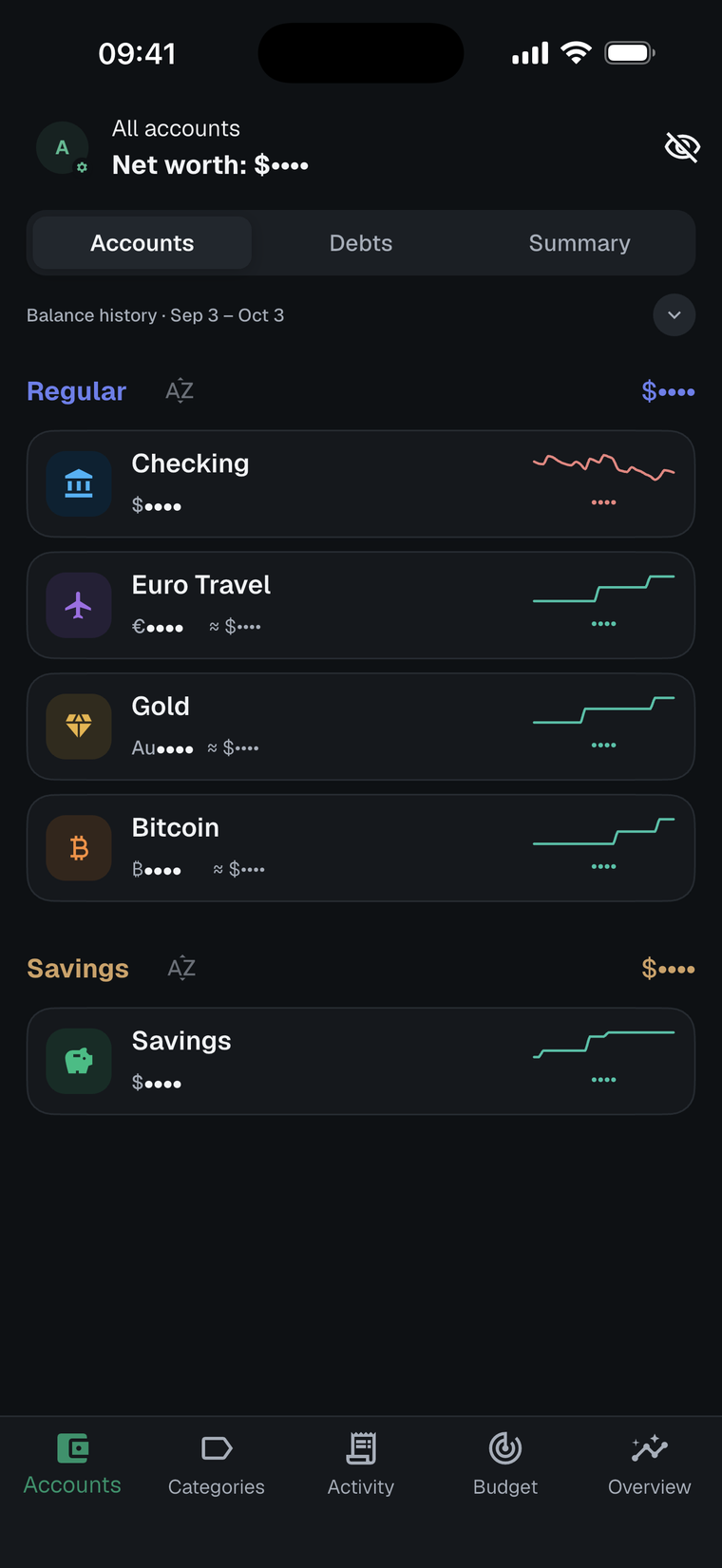
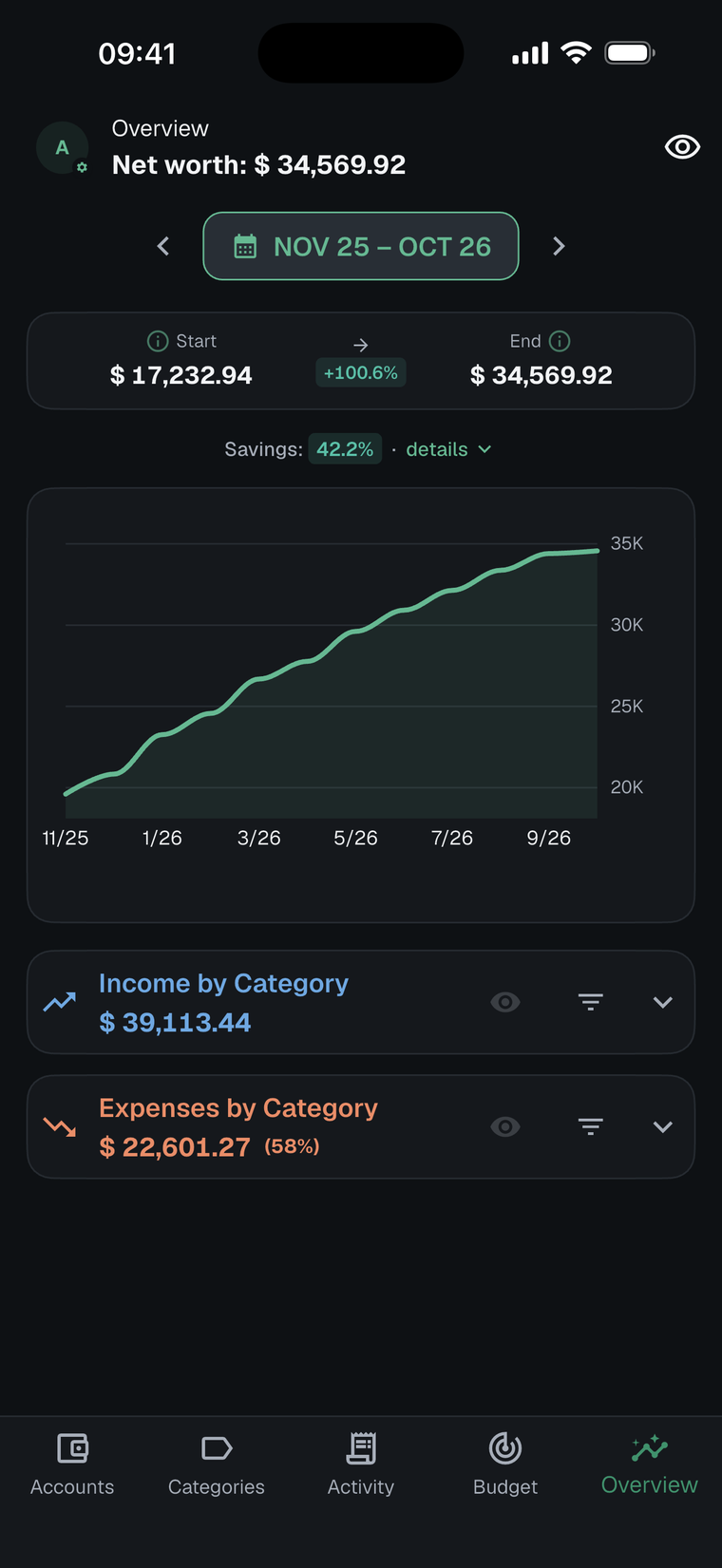
1M Finance is a privacy-first expense tracker for iPhone and Android. Budgets, the bill calendar and advanced analytics come with 1M Plus.
Cash flow, net worth, budgets and currencies in one calm app.
Every account rolls up into one net worth figure in your home currency.
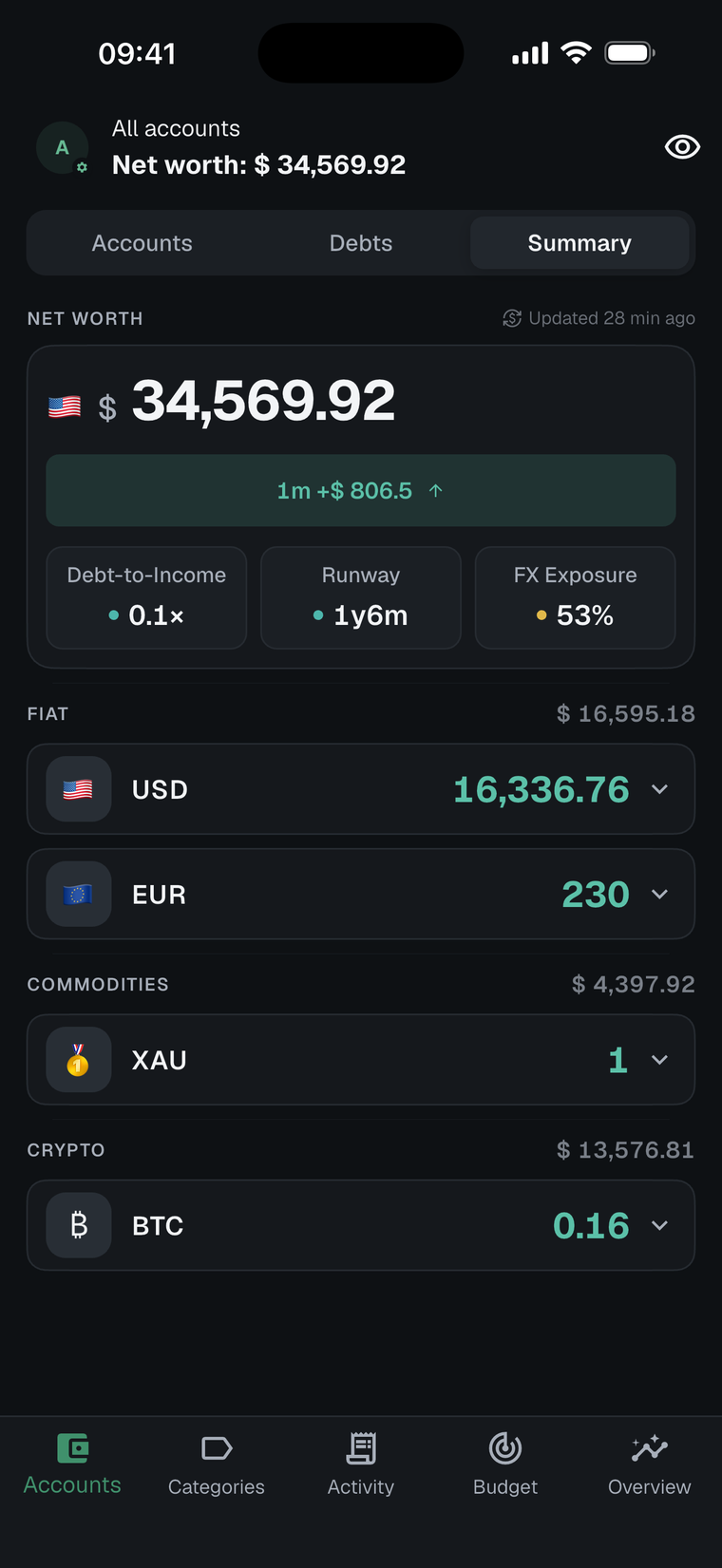
Track accounts in any currency with automatic exchange-rate conversion into your home currency.
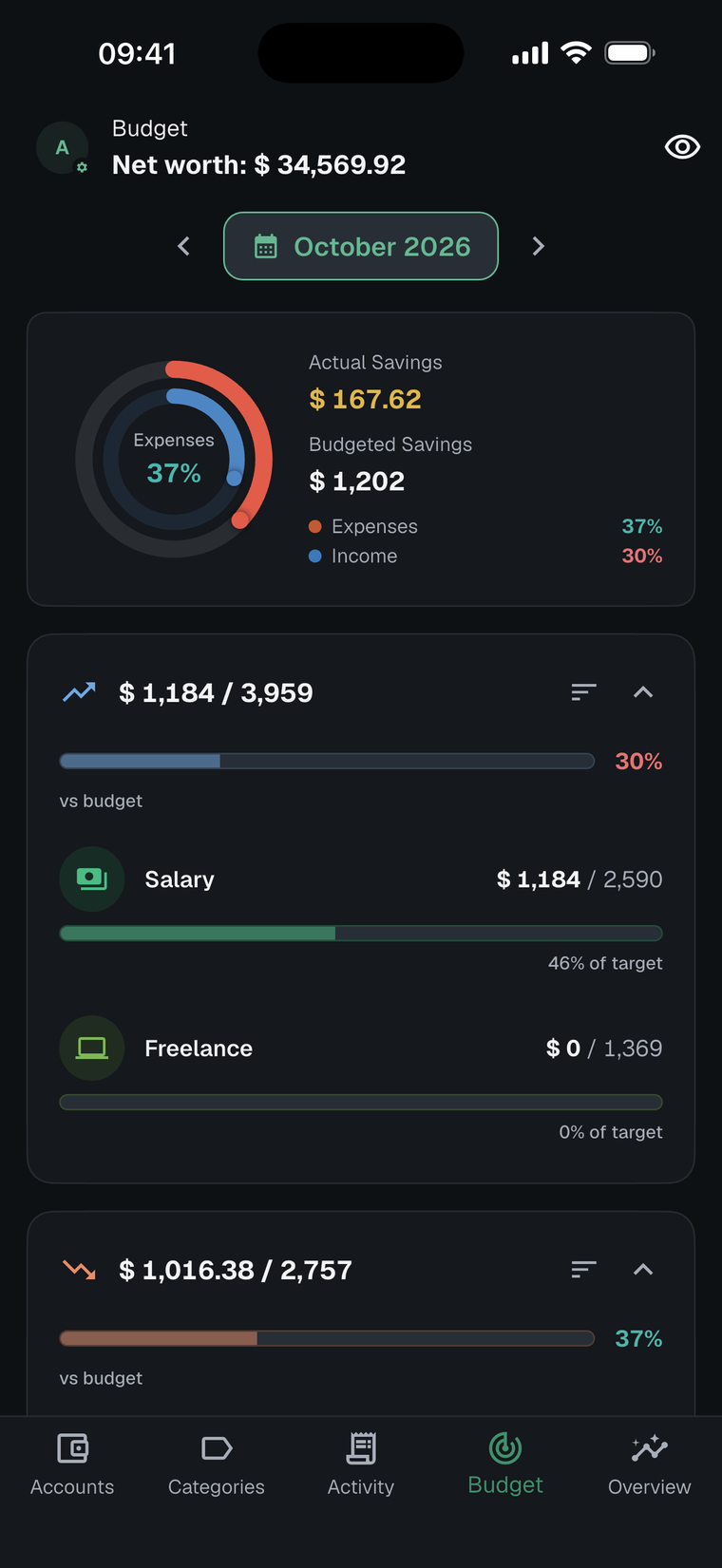
Set a limit for each category and see how the month is tracking.
Monthly totals in and out, and what is due next. How reminders work
Each day shaded by spending, with upcoming bills and income.
The currency share of your net worth, at a glance.
How long your savings last at your current spending.
Some screens show 1M Plus features and a 12-month view. Without 1M Plus, analytics cover up to 3 months at a time.
Optional backups go to your own iCloud or Google Drive, and we don’t access them.
Privacy mode
Tap the eye. Privacy mode works without 1M Plus.
How it works
Log spending in seconds, or bring your history with the CSV format guide. On iPhone, a Wallet automation Shortcut can capture Apple Wallet payments.
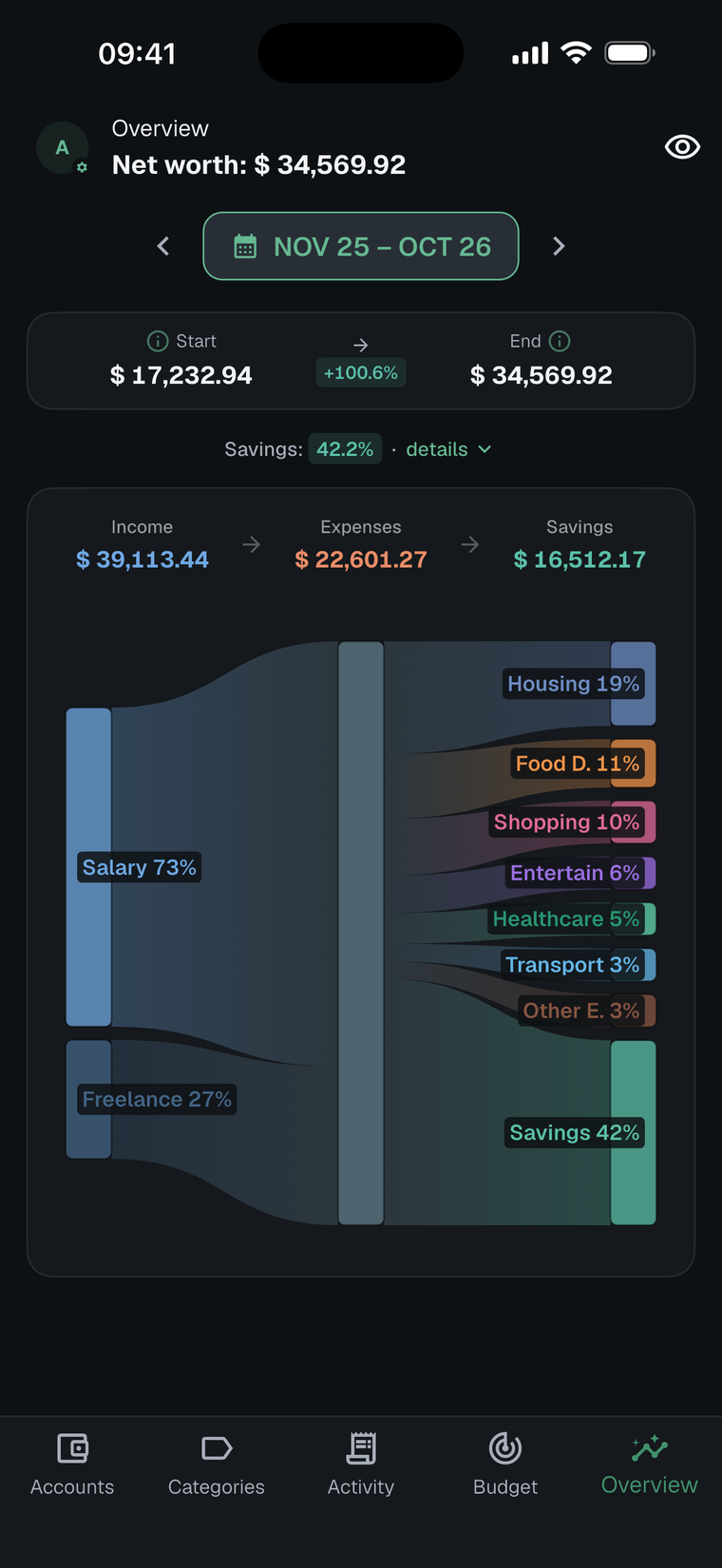
The Sankey diagram follows income into every category, so a creeping subscription or category stands out at a glance.
A reminder arrives the evening before each recurring bill. Category budgets come with 1M Plus.
Bring your history with you. These guides show what moves over and how.
Coming from somewhere else? Export a CSV and follow the CSV import guide.
Yes — 1M Finance is free to download and use. An optional 1M Plus subscription unlocks premium features and is managed through the Apple App Store or Google Play.
No. There are no bank connections and no credentials to share. You add transactions manually or import them from a CSV file, which keeps you in full control of your data.
On your device. Optional backups go to your own iCloud account (iPhone) or Google Drive (Android), and we don't access your backup data.
No. 1M Finance has no ads and does not sell your data. The app is supported by the optional 1M Plus subscription.
1M Finance is available for iPhone on the App Store and for Android on Google Play.
You can track accounts in any currency, and 1M Finance converts them into your home currency automatically using exchange rates.
Yes. Use the CSV import to bring in your existing transactions — start with the CSV format guide, or the switch from 1 Money guide if you're coming from that app.
Manage or cancel 1M Plus from your Apple App Store or Google Play subscription settings. You keep premium access until the end of your current billing period. See Support for step-by-step instructions.
You can clear local data or permanently delete your account from within the app. The delete your data guide covers what gets removed and how.
Yes. Every recurring transaction has a free "remind me the day before" toggle, and a calendar on the Overview screen shows all upcoming bills (part of 1M Plus). See the bill reminders & calendar page for details.
1M Finance is built for people who want clarity about their money without linking their bank accounts to a third party. That includes privacy-conscious users who would rather keep financial data on their own device, people living or working across multiple currencies, and anyone who simply wants a calm, visual picture of their cash flow, budgets, and net worth.
Free to download on iPhone and Android. 1M Plus is optional.